
Summons: Altar Rolls, Auto Roll Targets & Fusion Shards
How summoning actually works in Be The Final Boss: rolling at the Summon Altar, letting Goblin Rolly auto-roll with per-rarity stop targets, reading the UNITS roster, and turning duplicate copies into Fusion Shards.
Summon at the altar, automate with Goblin Rolly, recycle duplicates into Fusion Shards
Units in Be The Final Boss come from the Summon Altar, where each roll spends Souls. This walkthrough follows an Update 5 tier-list video through the whole loop: the altar and Goblin Rolly's Configure Auto Roll button, the Auto Roll settings panel with per-rarity stop targets, the UNITS roster every roll lands in, the Fusion panel that compresses duplicate copies into shards, and the inventory sort that decides who deploys. Altar pricing per rarity is documented with sources on our units page; anything the footage doesn't show stays unknown.
Source video
“UPDATE 5 Be The Final Boss Unit Tier List” by Arcade Ranker (22:41, YouTube), contact sheets and frames reviewed 2026-09-20 — the first page built from this channel. The UI walkthroughs here come from its altar and roster screens; the video's per-unit rankings are the channel's own opinions and are not imported as data.
Arcade Ranker — UPDATE 5 Be The Final Boss Unit Tier ListThe summoning loop, screen by screen
- 1
Roll at the Summon Altar — or let Goblin Rolly do it
The altar is where Souls turn into units. Beside it stands Goblin Rolly, the NPC whose Configure Auto Roll button hands the clicking to the game — the same NPC earlier sources describe as having stop-on-rarity settings.
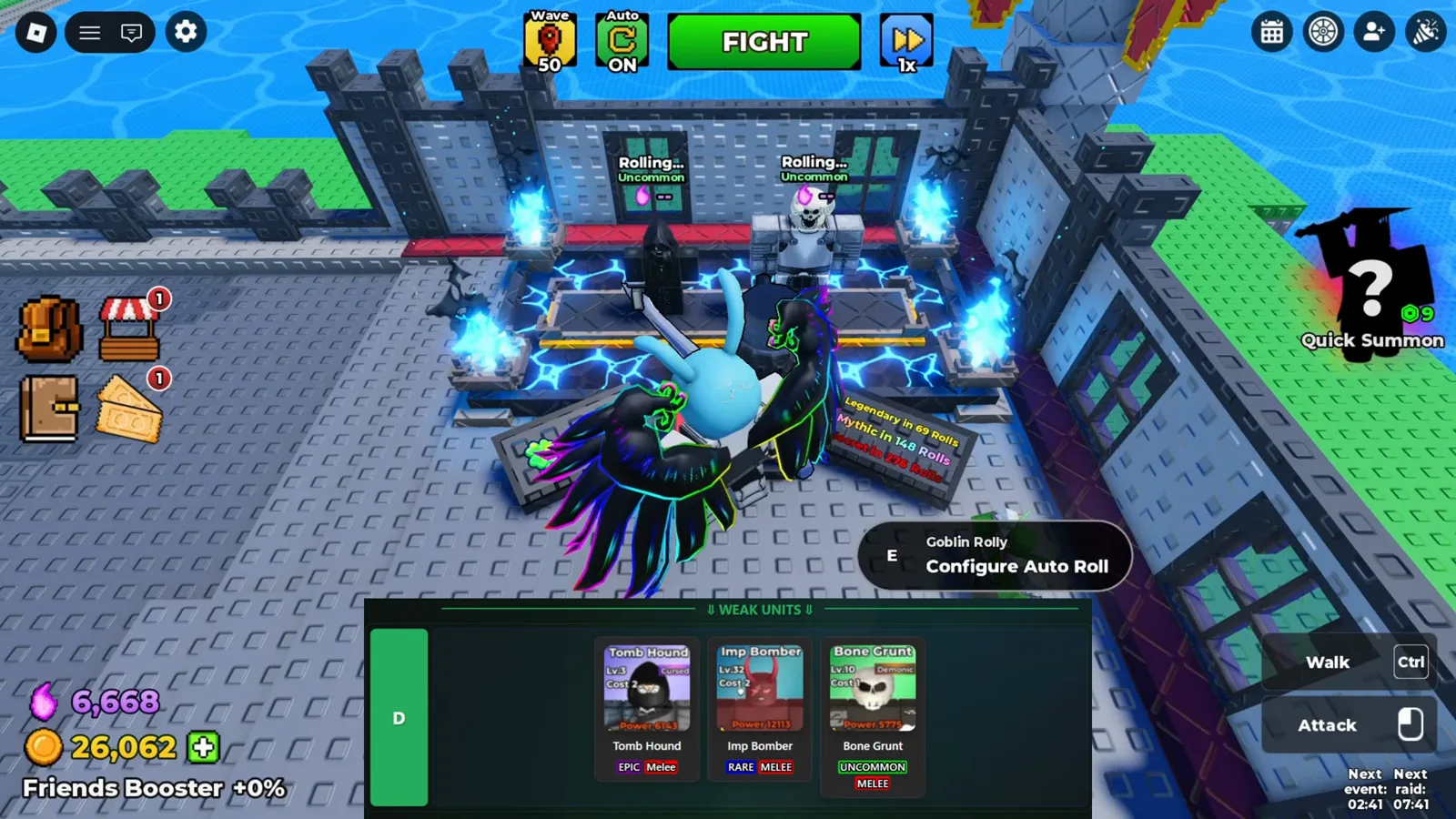
Rolls happen at the altar — and Goblin Rolly can keep rolling there for you. - 2
Set Auto Roll targets before you walk away
The Auto Roll panel pairs a When Found toggle with each rarity target, shows a Flash Skip speed-up, and sells an Auto Roll Plus upgrade (R$ 299 in this footage) that adds mutation targets, auto-roll and 2X roll speed. Set targets so the loop stops on the roll you actually want.
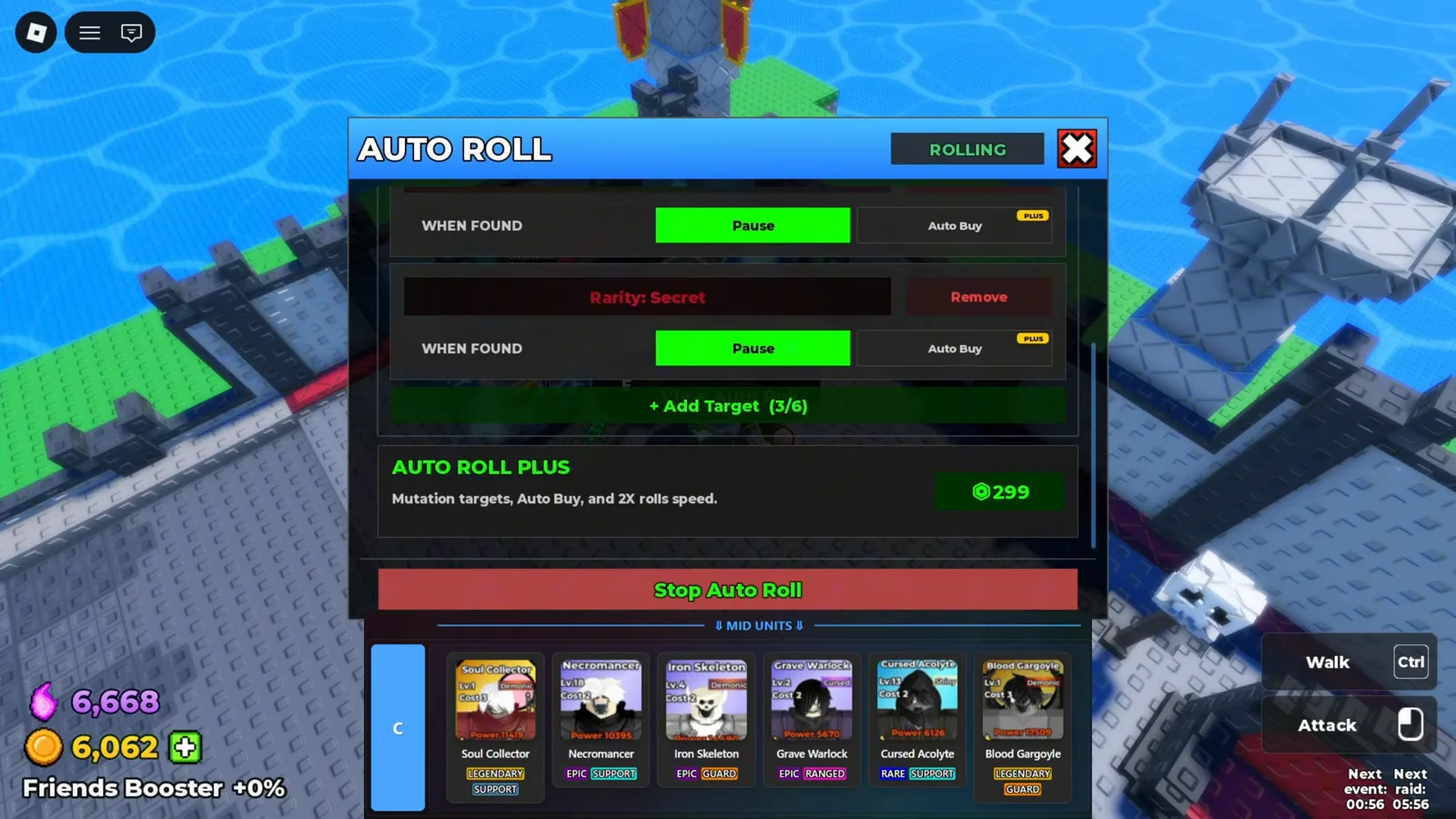
Auto Roll keeps pulling while you fight; per-rarity targets stop the loop when the roll you want appears. - 3
Read the card before you keep it
Every roll lands in the UNITS panel. A detail card like Iron Skeleton's shows role and damage type, base stats, population cost and a Fusion tab — the screen to check before deciding a roll is worth keeping.
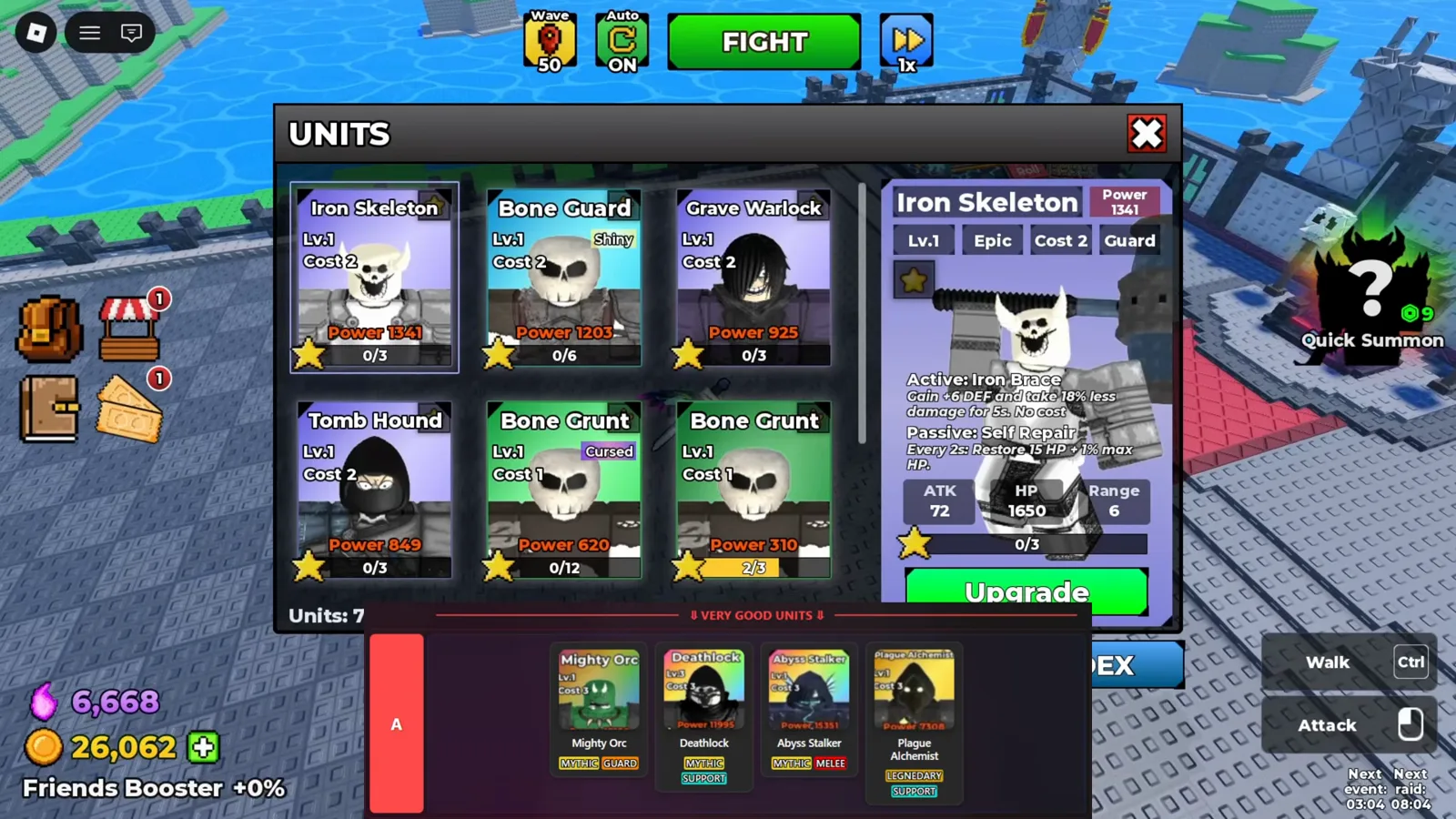
Every result lands in the UNITS roster, where a card shows stats, cost and its Fusion tab. - 4
Duplicates become Fusion Shards
The Fusion panel lists My Shards by rarity and fuses 5 uncommon shards into the next tier with one FUSE press. Copies you can't deploy aren't waste — they're the shard economy that later pays for unit upgrades.
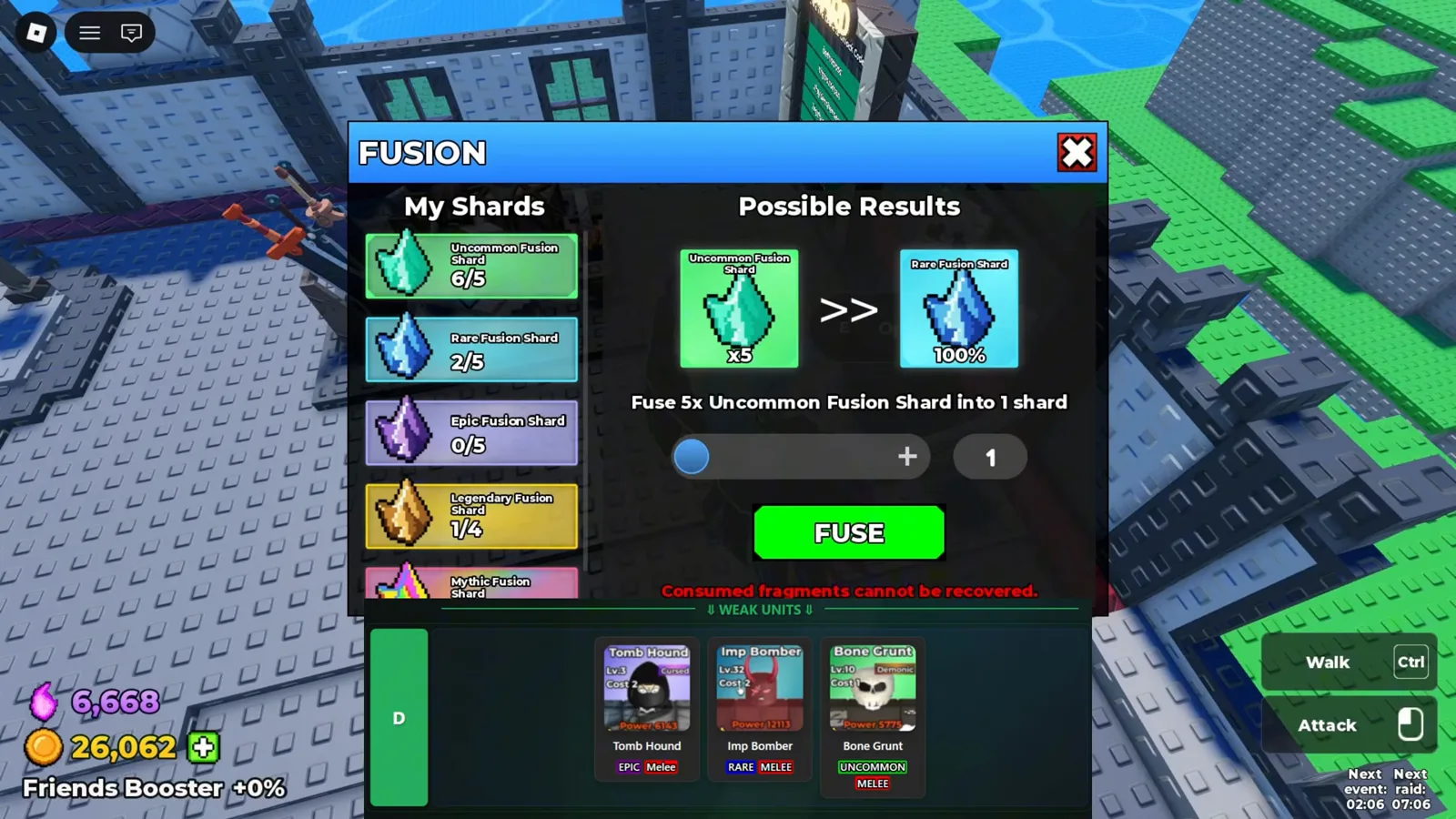
Duplicate copies become Fusion Shard material instead of bench clutter. - 5
Sort the roster before the next deploy
The inventory screen sorts by Power, filters by rarity and holds Formation tabs above your cards. With population slots scarce, sorting by power is how the game expects you to pick a deploy line.
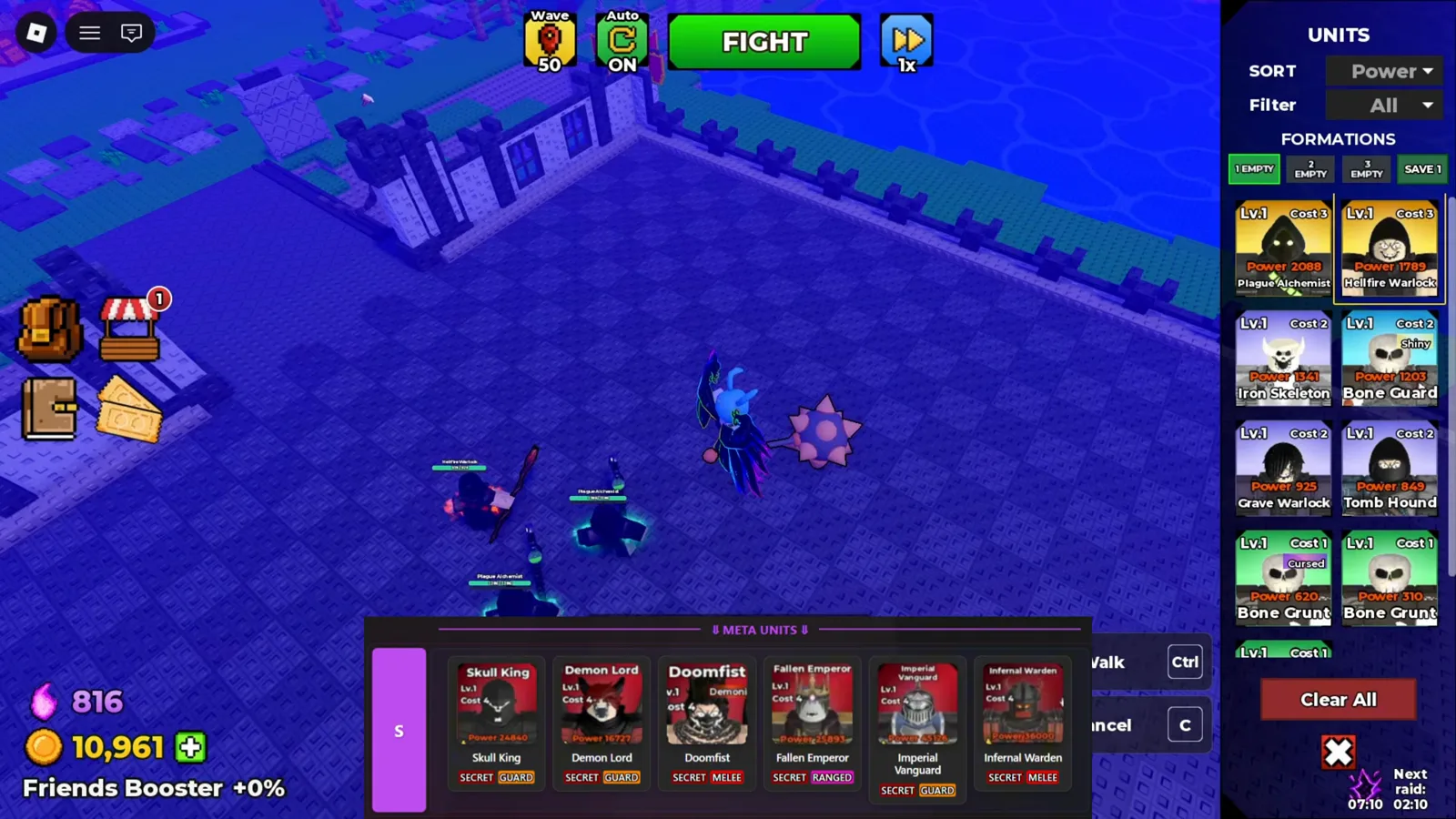
Sort by power and filter the roster before deciding who enters the next formation.