
Be The Final Boss Armor Forge: Panel, Forge Stones and Equip States
The Armor Forge is not a separate menu: it is the second tab of the same window that opens on WEAPONS. This walkthrough covers only what the capture shows — the Helm/Body/Guard tabs, the nine-helm grid and its DMG labels, the piece card, the state of the equip button during and after a wave, and the Forge Stone count.
Quick answer
The Armor Forge is the ARMOR FORGE tab beside WEAPON along the bottom of the inventory window. The capture shows one section fully: the Helm tab, a 3x3 grid of nine helmets labelled DMG +10% up to +75%, and a piece card carrying rarity, bonuses and a passive line. While a wave is running that card's blue button reads Change armor after battle. After the run it reads Equipped. The header counts a grey stone icon at 260, and the ITEM panel lists the same icon as Forge Stone x260. No price, no forge action and no Body/Guard content appear in the footage, so those stay unknown.
Video source
Frames are third-party observation from Liam Difu Reynoso's BE THE FINAL BOSS ROBLOX GAMEPLAY (uploaded 2026-07-31; 32 views when reviewed), eye-checked at native resolution on 2026-10-06. The upload ships no captions, and local speech recognition over four audio samples (00:00, 02:00, 05:00 and 08:00) detected background music only, so every step here is read off the interface; the Armor Forge is open only during the first 30 seconds. Because the capture is from July 2026, nothing added to the forge after 2026-07-31 can be claimed from it. Forge Stone prices, what Stones are spent on, how they are earned, and the Body and Guard tab contents are not shown and remain unknown.
Liam Difu Reynoso — BE THE FINAL BOSS ROBLOX GAMEPLAYArmor Forge walkthrough
- 1
Open the ARMOR FORGE tab
The forge lives inside the inventory window: the panel opens on WEAPONS, and the ARMOR FORGE tab sits beside WEAPON along the bottom edge. In the capture the cursor passes over that tab at 00:16 and the ARMOR FORGE panel opens a second later — there is no separate forge menu.
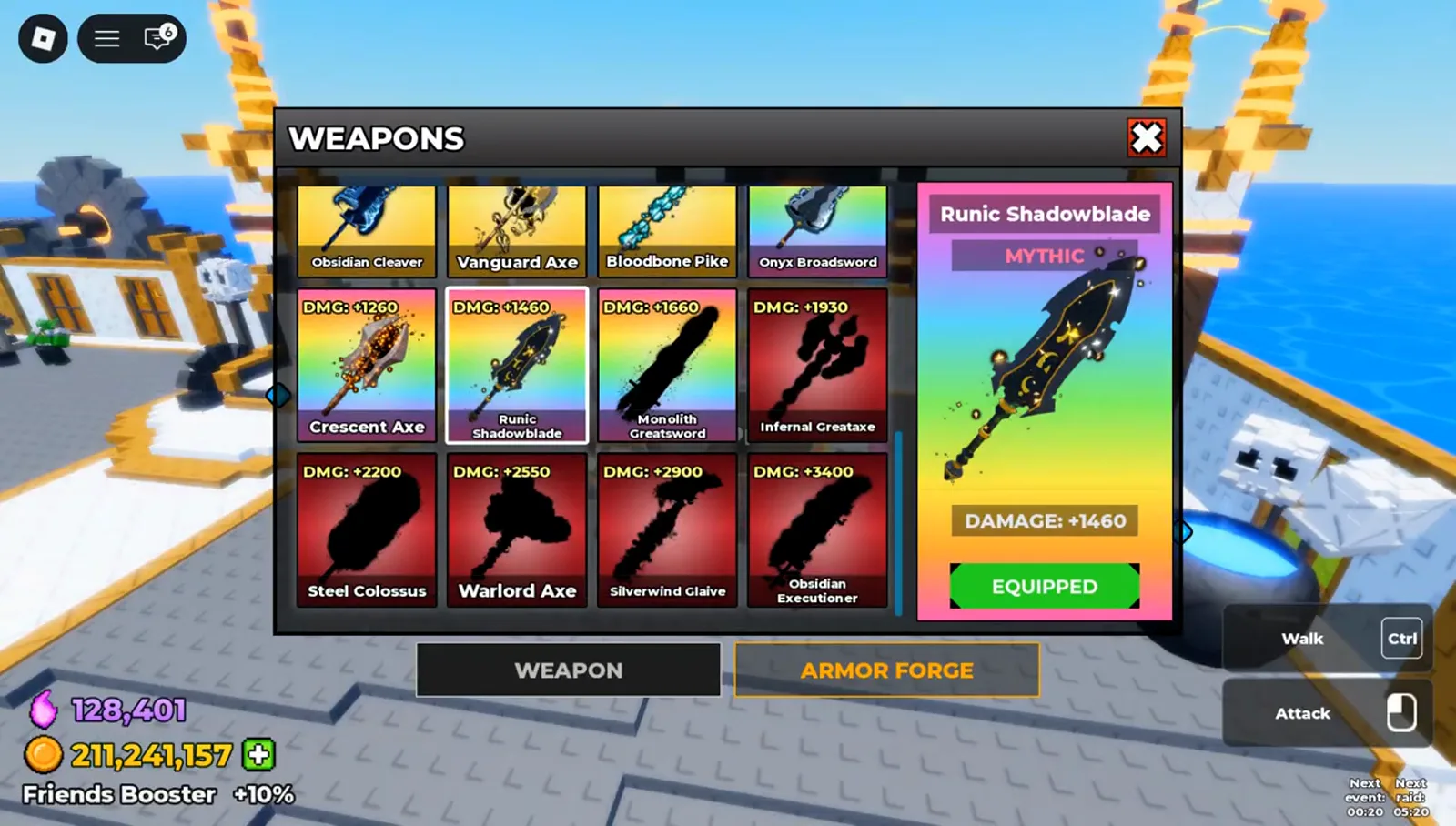
The Armor Forge is not its own menu: it is the second tab of the window that opens on WEAPONS. Watch at 0:16 - 2
Read the Helm grid and the stone counter
ARMOR FORGE opens on the Helm tab, with Body and Guard beside it. The grid lists nine helmets and each card carries a DMG bonus: Crimson Vanguard +10%, Obsidian Plate +20% and Golden Bastion +30% on the top row, then Amethyst Gladiator +40%, Emerald Mantle +45% and Royal Paladin +50%. The only number in the panel is the grey stone icon in the header, reading 260, and no piece card shows a price.
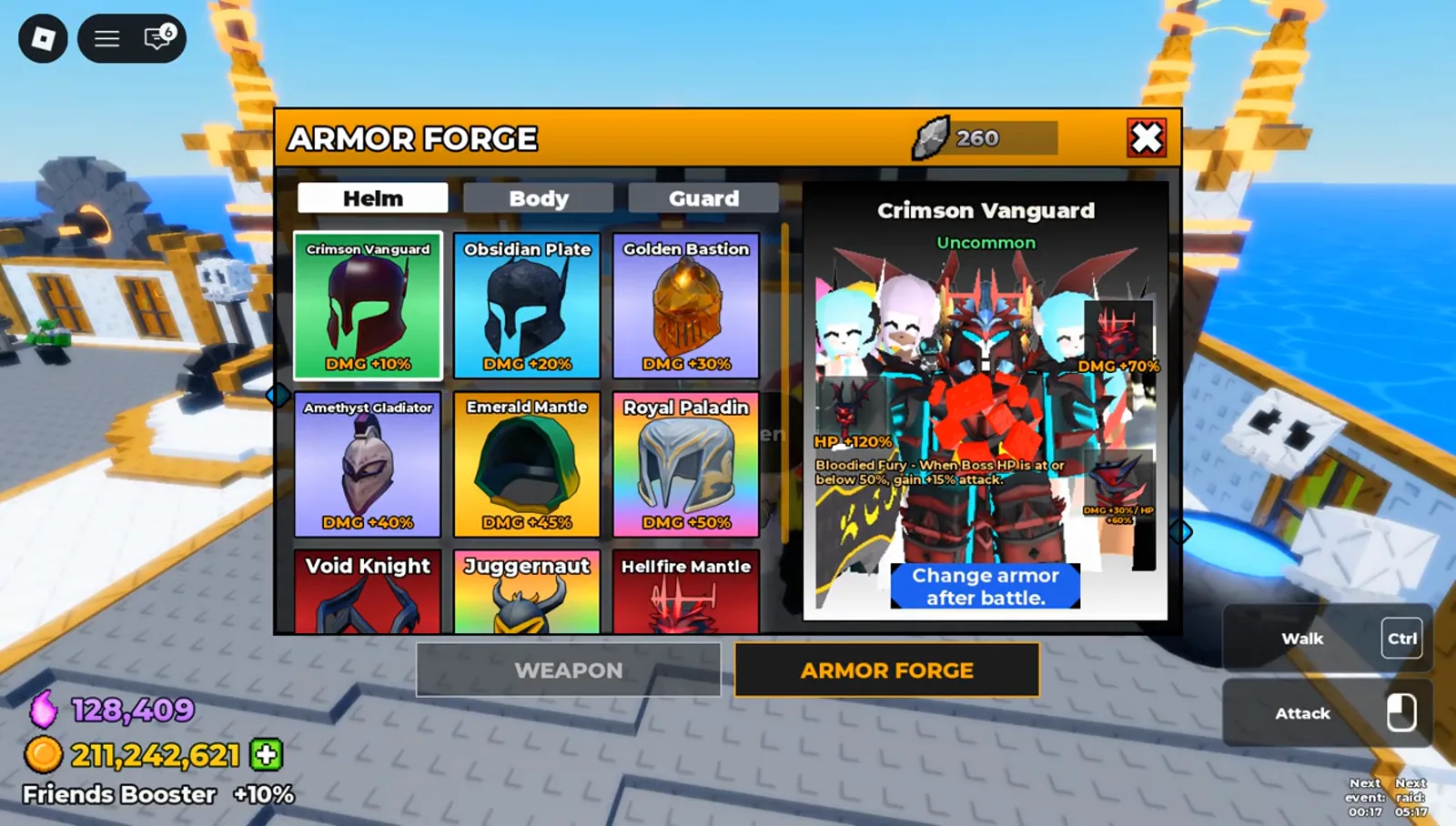
Helm is the tab the capture opens on; Body and Guard are visible beside it but are never opened in the footage. Watch at 0:18 - 3
Inspect a piece in the detail card
Selecting a helm fills the card on the right: the name, a rarity line (Crimson Vanguard reads Uncommon, Hellfire Mantle reads Secret), sockets marked with +, stat callouts such as HP +120% and DMG +70%, and the piece's own passive text. Hellfire Mantle's reads Every fourth combo hit unleashes a 12-stud fire nova, dealing 30% weapon damage to nearby heroes.
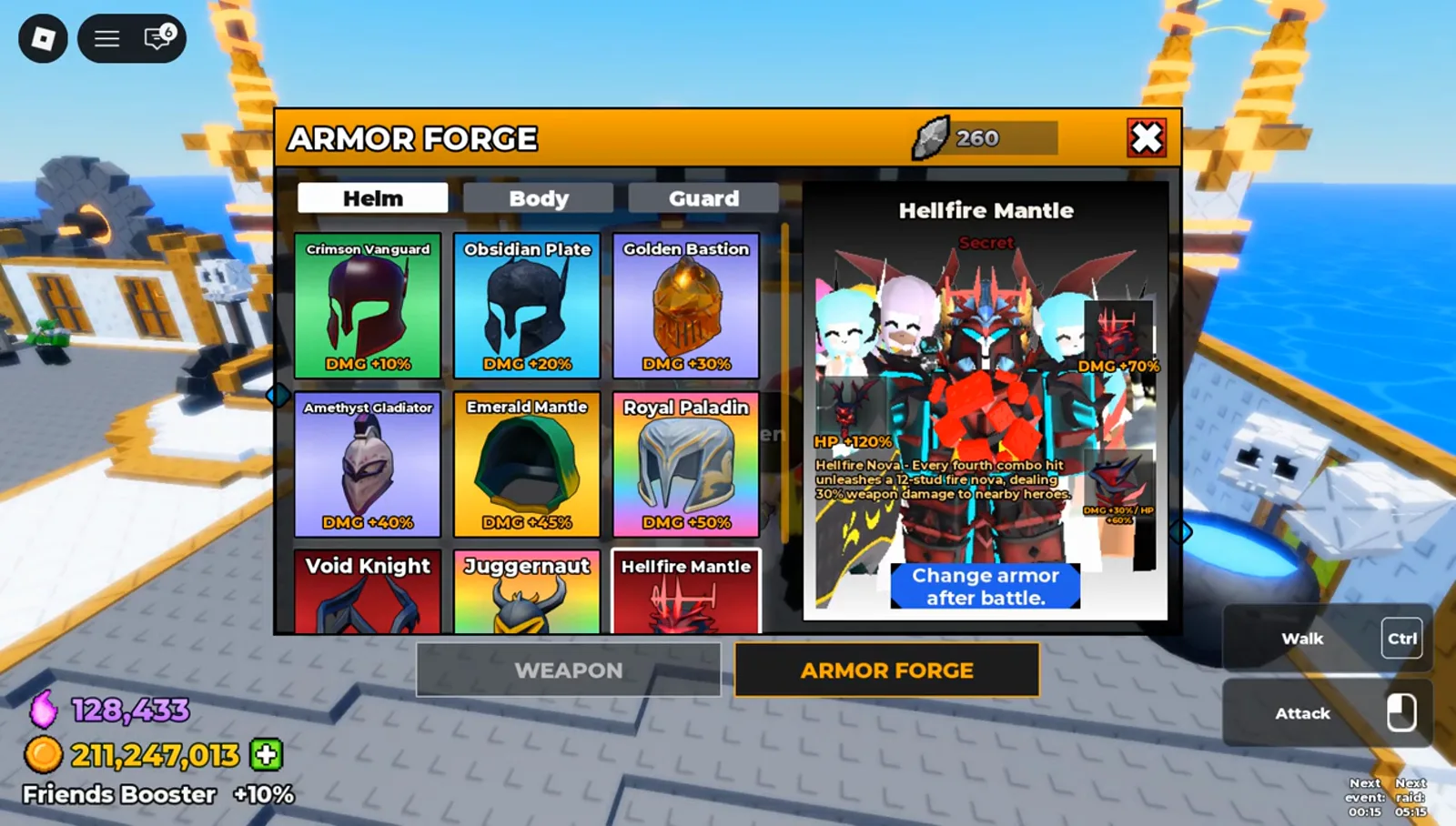
Same card, different piece: rarity and passive change with the selection, and nothing printed on it is a price. Watch at 0:20 - 4
Equip between waves, not during one
While the wave is running the card's blue button reads Change armor after battle. The capture never shows a swap mid-wave; once that run ends, the same Hellfire Mantle card reads Equipped. The footage proves those two states, not the rule behind them — whether the game blocks the click or only warns is not shown.
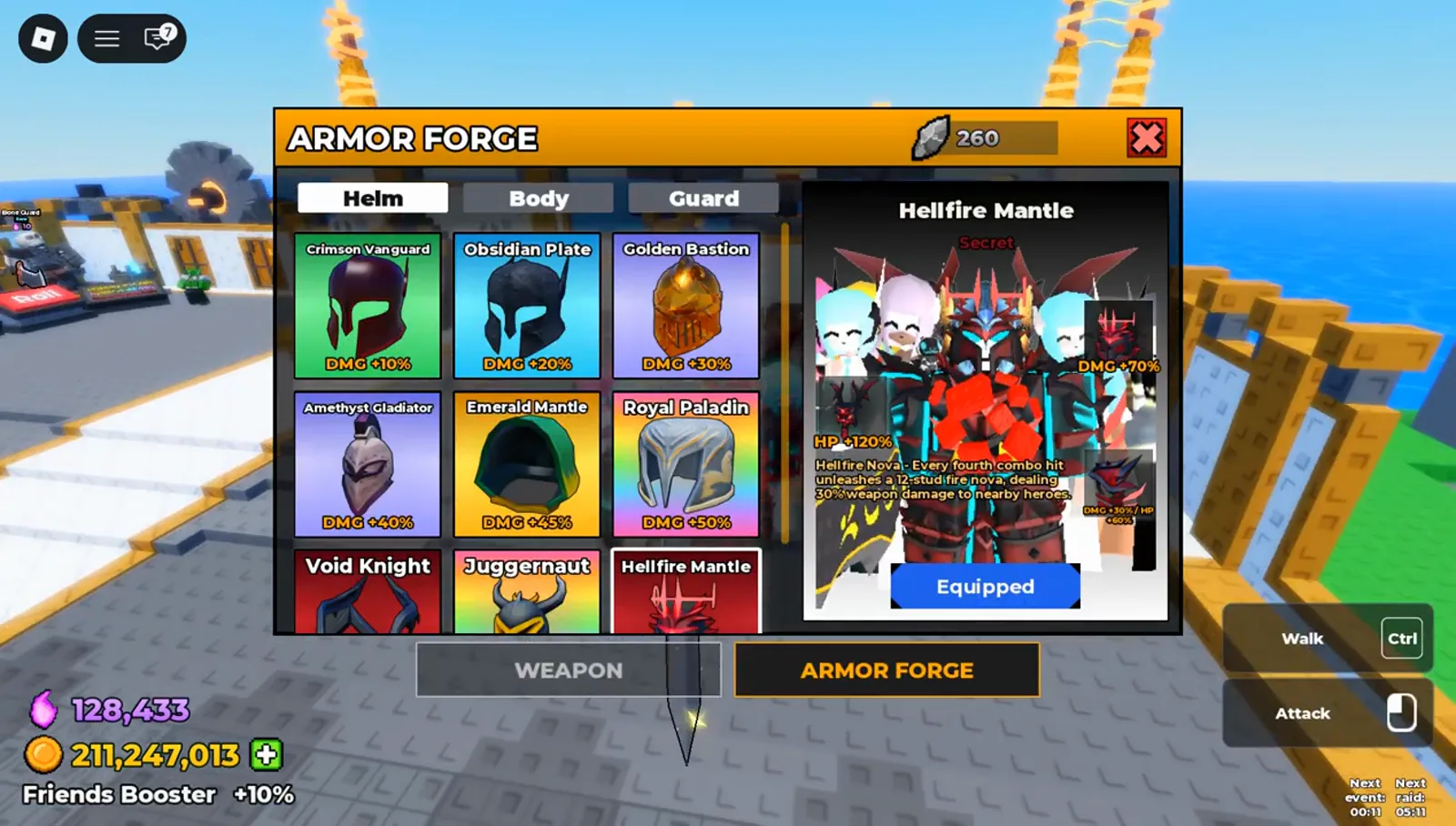
Mid-wave this button only offers a change after the battle; with the run over, the same card reads Equipped. Watch at 0:24 - 5
Check the Forge Stone count in your items
The ITEM panel lists Forge Stone as a stackable item, x260 in this capture, under the same grey stone icon the Armor Forge header uses and with the same number. That is the only hard link the footage draws between the item and the forge; what the forge spends the Stones on is not shown.
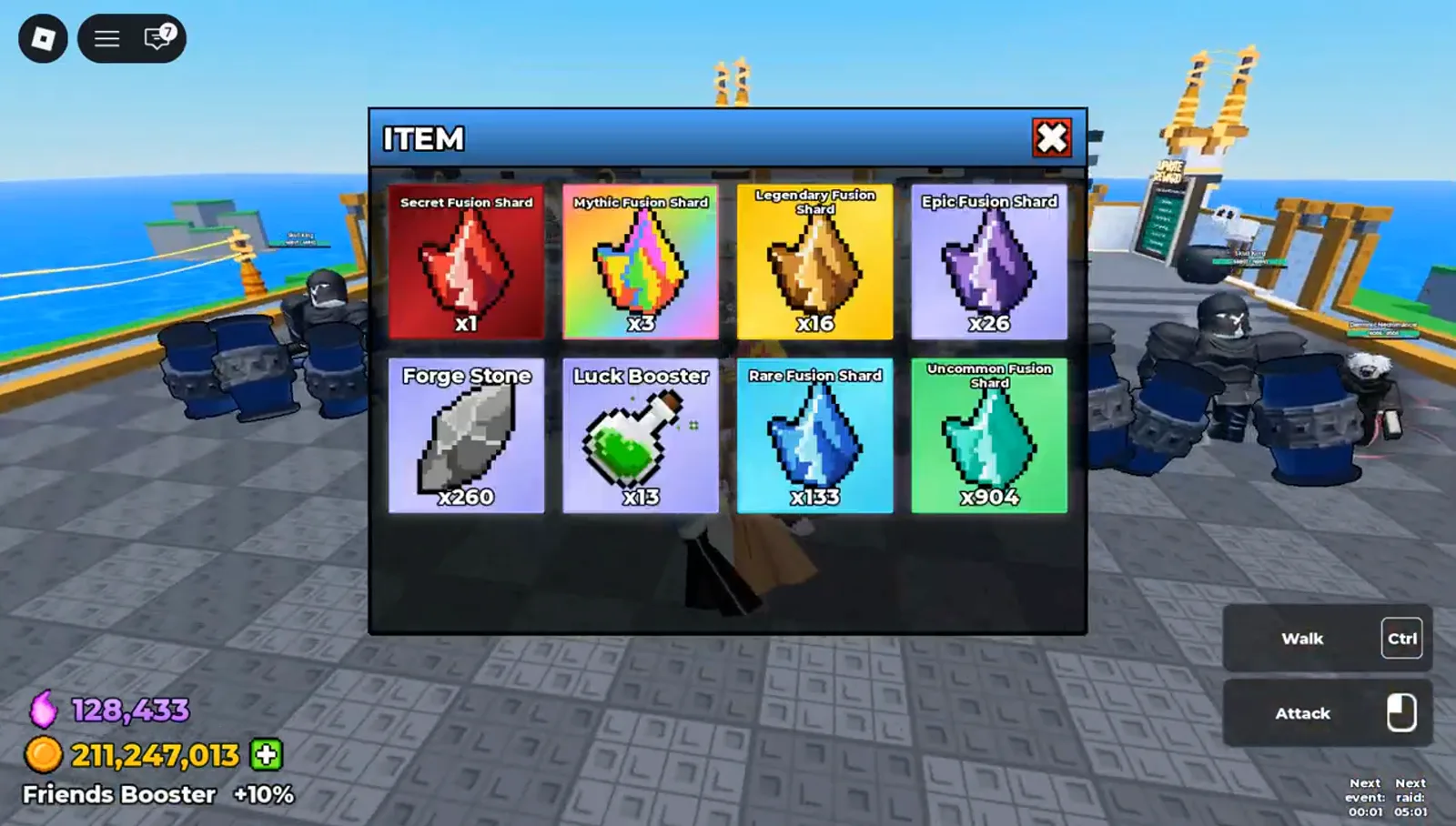
The ITEM panel and the forge header agree on both the icon and the number: 260. Watch at 0:34