
Be The Final Boss 召唤攻略:祭坛抽卡、Auto Roll 目标与 Fusion Shards
Be The Final Boss 的召唤系统到底怎么运作:在 Summon Altar 手动抽卡、让 Goblin Rolly 挂 Auto Roll 并按稀有度设停止目标、读懂 UNITS 面板的单位卡,以及把重复单位合成分解成 Fusion Shards。
祭坛手动抽、Goblin Rolly 挂机自动抽,重复单位合成分解成 Fusion Shards
Be The Final Boss 的单位全部从 Summon Altar 抽出来,每抽一次消耗 Souls。本页跟着一支 Update 5 强度表实机把整条循环走一遍:祭坛和 Goblin Rolly 的 Configure Auto Roll 按钮、按稀有度设停止目标的 Auto Roll 设置面板、承接每抽结果的 UNITS 面板、把重复单位压成碎片的 Fusion 面板,以及决定谁上场的背包排序。祭坛各稀有度定价在单位页有带来源的记录;素材里没出现的信息保持未知。
素材来源
Arcade Ranker 的《UPDATE 5 Be The Final Boss Unit Tier List》(22:41,YouTube),2026-09-20 逐帧核对——这是本站第一篇采用该频道素材的页面。文中界面走查均出自它的祭坛与单位列表画面;视频里逐个单位的强度评级属于频道个人观点,不作为数据收录。
Arcade Ranker — UPDATE 5 Be The Final Boss Unit Tier List召唤循环走查:一个界面一个界面来
- 1
在 Summon Altar 抽卡——或者交给 Goblin Rolly
祭坛是把 Souls 变成单位的地方。它旁边站着 NPC Goblin Rolly,他的 Configure Auto Roll 按钮能把反复点按的活交给游戏自动跑——早期资料里描述过“按稀有度停止”的设置,说的就是这位 NPC。
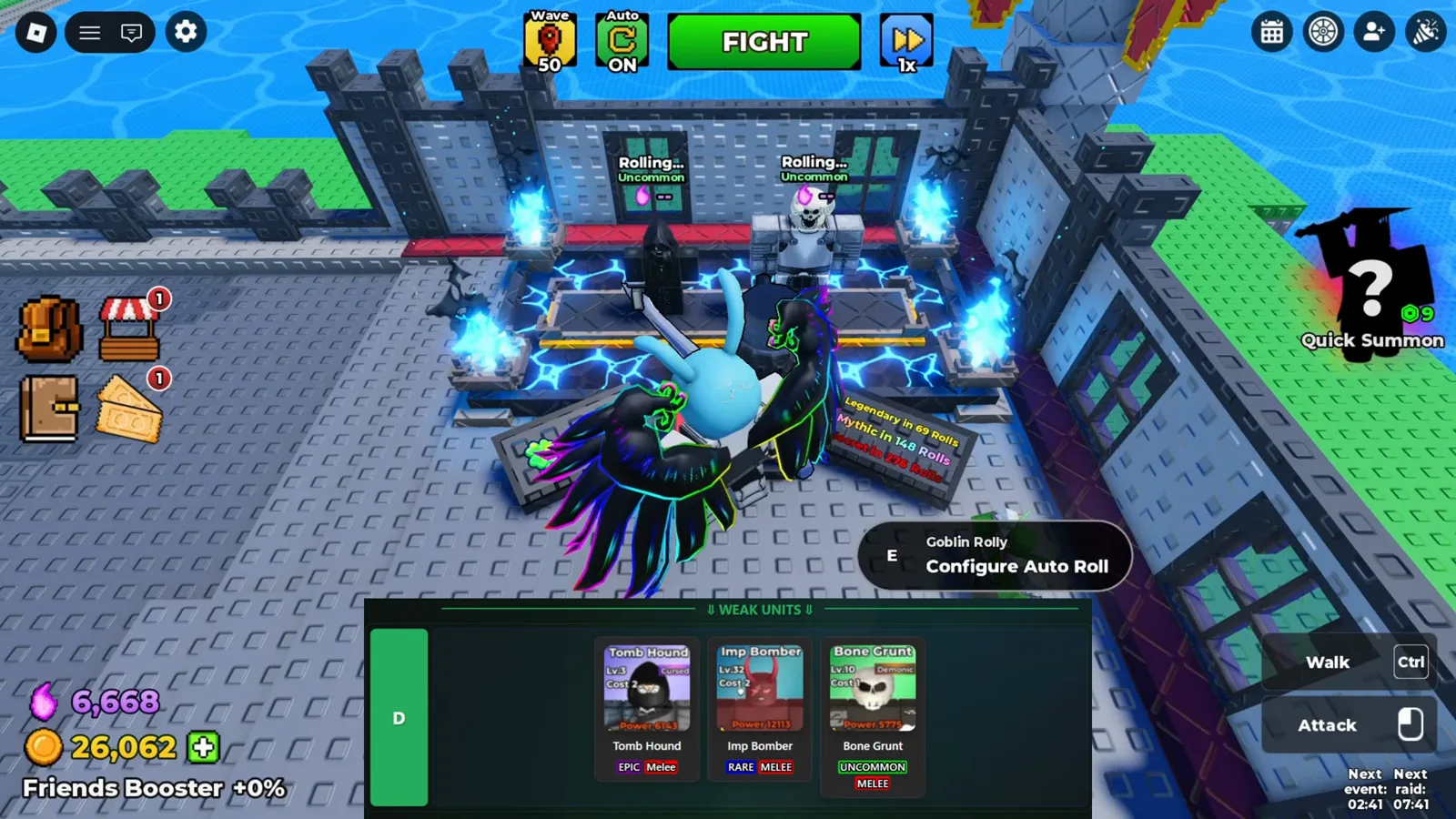
Rolls happen at the altar — and Goblin Rolly can keep rolling there for you. - 2
挂机前先设好 Auto Roll 目标
Auto Roll 面板给每个稀有度目标都配了 When Found 开关,附带 Flash Skip 加速,还有 Auto Roll Plus 升级可买(这段素材里是 R$299),解锁变异目标、自动 roll 和 2 倍 roll 速度。把停止目标设好,循环才会停在你真正想要的那一抽。
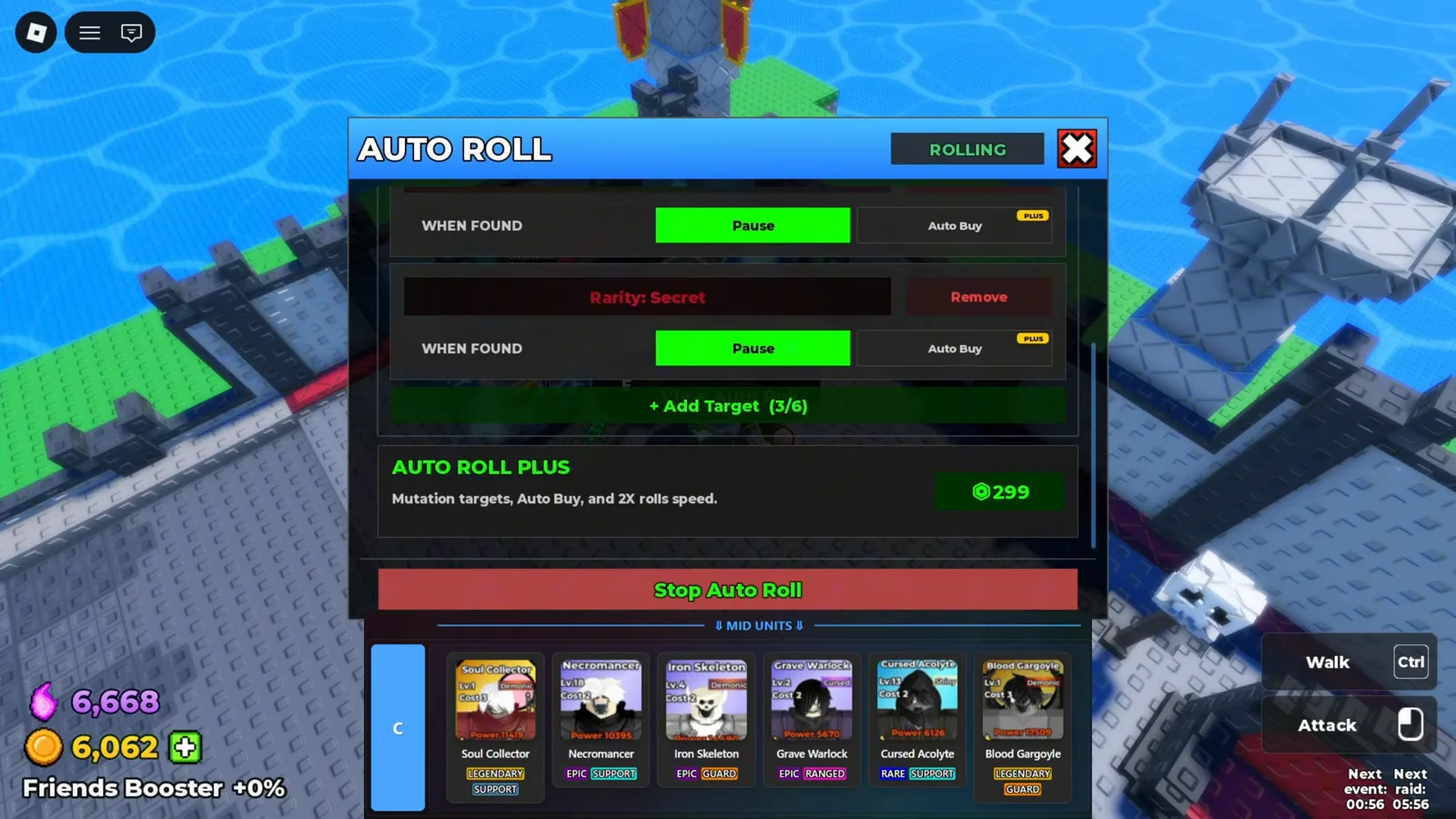
Auto Roll keeps pulling while you fight; per-rarity targets stop the loop when the roll you want appears. - 3
留下之前,先读懂单位卡
每一抽的结果都进 UNITS 面板。像 Iron Skeleton 这样的详情卡会显示定位与伤害类型、基础属性、population 消耗和一个 Fusion 标签页——判断这抽值不值得留,看的就是这块屏。
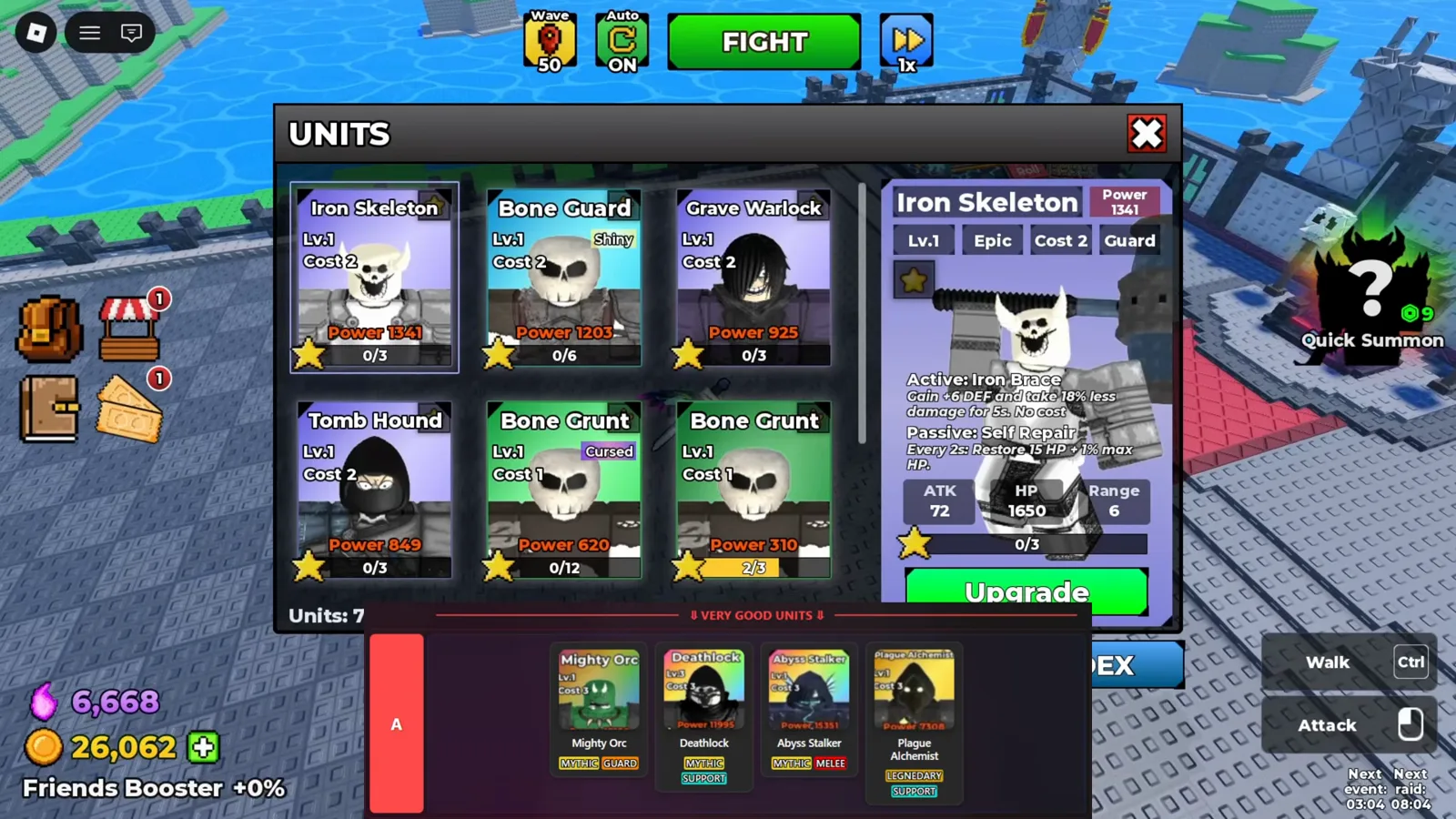
Every result lands in the UNITS roster, where a card shows stats, cost and its Fusion tab. - 4
重复单位变成 Fusion Shards
Fusion 面板按稀有度列出 My Shards,5 个 uncommon 碎片按一下 FUSE 就合成下一阶。上不了场的重复单位不是废件——它们是碎片经济,之后为单位升级买单。
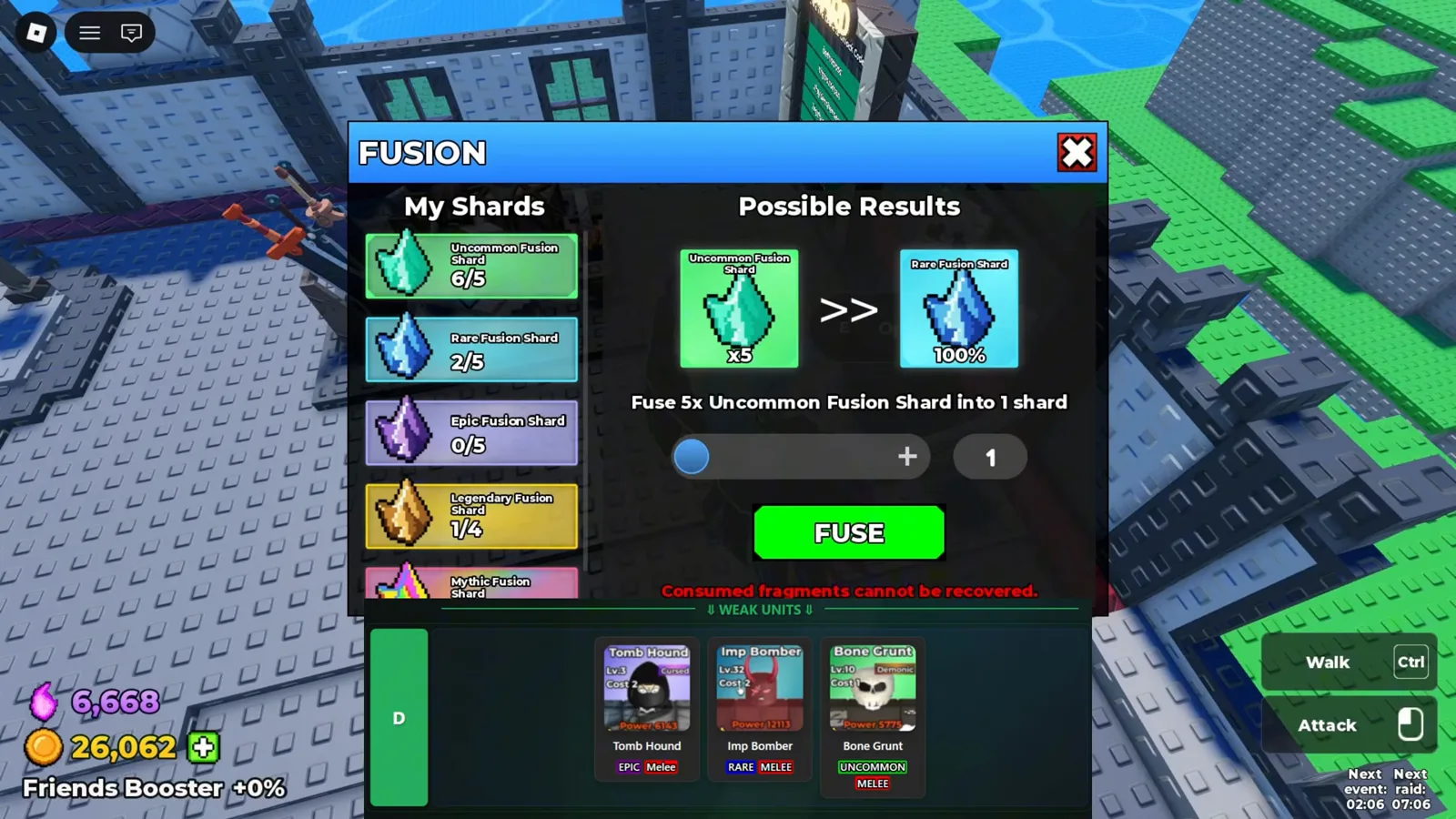
Duplicate copies become Fusion Shard material instead of bench clutter. - 5
下次上场前先把背包排好
背包界面支持按 Power 排序、按稀有度筛选,卡片上方还有 Formation 标签页。population 槽位紧张的时候,按战力排序就是游戏默认的选人方式。
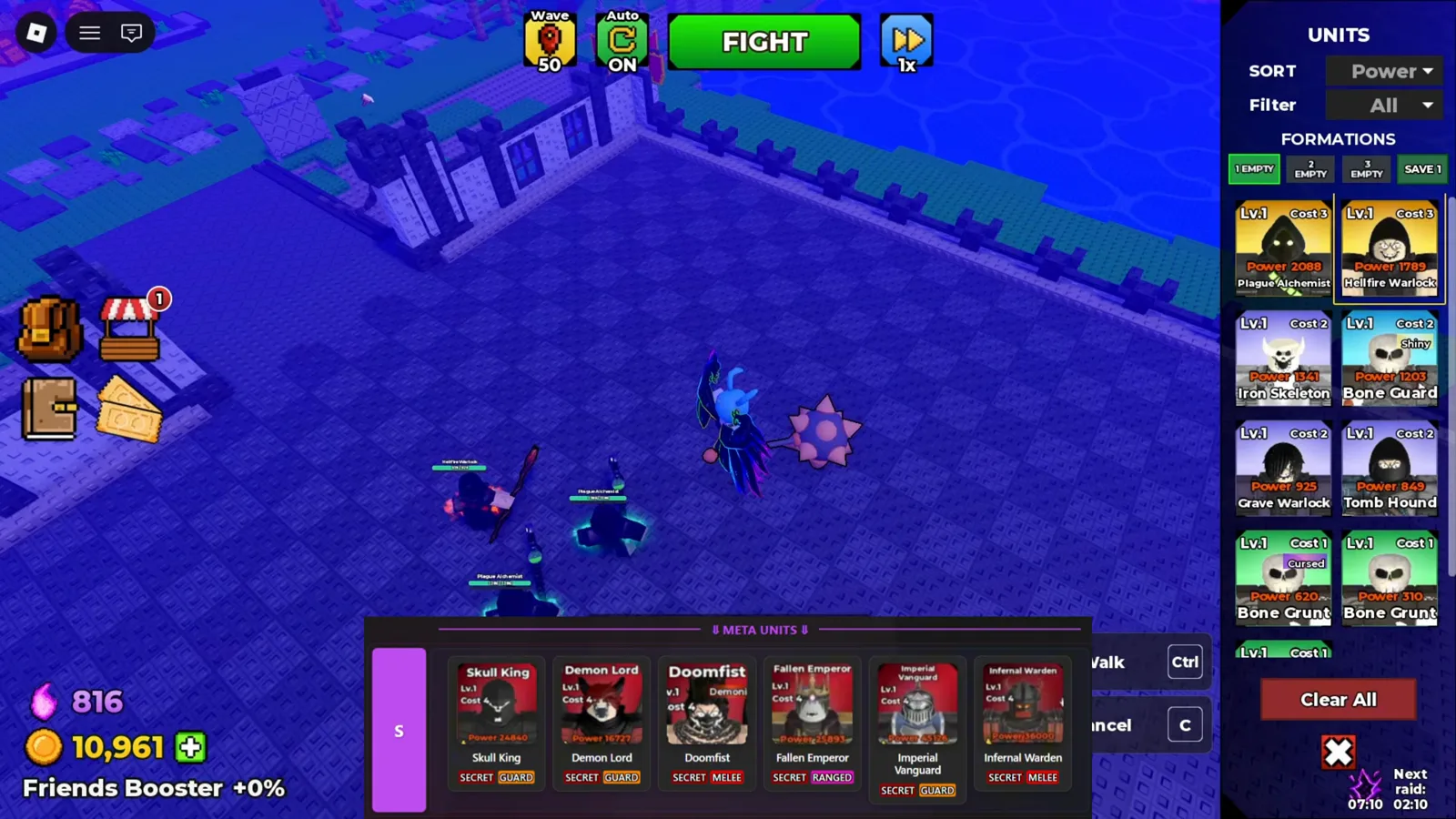
Sort by power and filter the roster before deciding who enters the next formation.